approval-flows — write-side walkthrough
The approval-flows template is the canonical Tasks × Apps Dockyard example. Two contract-first task-augmented tools driving a human-in-the-loop round-trip from inside an iframe. The write-side counterpart to analytics-widgets.
Scaffold
dockyard new my-approvals --template approval-flows
cd my-approvals
If you installed Dockyard via go install …@latest, that's all — the generated go.mod pins the published module and resolves with no extra flag. If you built Dockyard from source, add --dockyard-path /path/to/dockyard so the generated go.mod and web/package.json point at your local checkout (D-080).
The scaffold produces a project with:
my-approvals/
├── README.md
├── dockyard.app.yaml          # two tools (task_support: required) + one App
├── main.go                    # boots a real tasks.Engine (D-135)
├── internal/
│   ├── contracts/             # RequestApproval{Input,Output}, ProposeWithEdits…
│   └── handlers/              # the handlers drive the input_required round-trip
├── fixtures/                  # six fixtures per tool
└── web/
    └── src/
        ├── App.svelte         # renders the approval card / edits form
        └── …
The two tools
| Tool | What it does |
|---|---|
request_approval | Pause for human approval of a single decision; returns approved/rejected + reason. |
propose_with_edits | Propose structured changes (fields with current + proposed values); the user edits and approves. |
Both declare task_support: required — the input_required round-trip is the product, not an optional capability. The scaffolded main.go attaches a real tasks.Engine (decision D-135) so the tools run as durable tasks against the real runtime/server.
Run + inspect
dockyard new already ran go mod tidy and dockyard generate, so the project's Go dependencies and contract artifacts (JSON Schema + TS) are ready. (If you scaffolded with --no-postgen, run those two first.)
A template ships a Svelte UI, so two one-time steps come before the dev loop — skip them and dockyard dev fails with vite: command not found (web deps not installed) and open web/dist/index.html: file does not exist (the embedded bundle hasn't been built yet):
# 1. Install the web deps once (provides the Vite bundler):
(cd web && npm install)

# 2. Build once so the embedded UI bundle (web/dist) exists:
dockyard build
Now run the dev loop, which auto-attaches the inspector and prints its URL (cmd-click to open):
dockyard dev
# ...
# INFO inspector ready at http://127.0.0.1:54321
Prefer a standalone inspector against a built server? Run it on HTTP in one terminal and attach in another:
DOCKYARD_TRANSPORT=http dockyard run                   # terminal 1
dockyard inspect --url http://127.0.0.1:8080 --dir .   # terminal 2
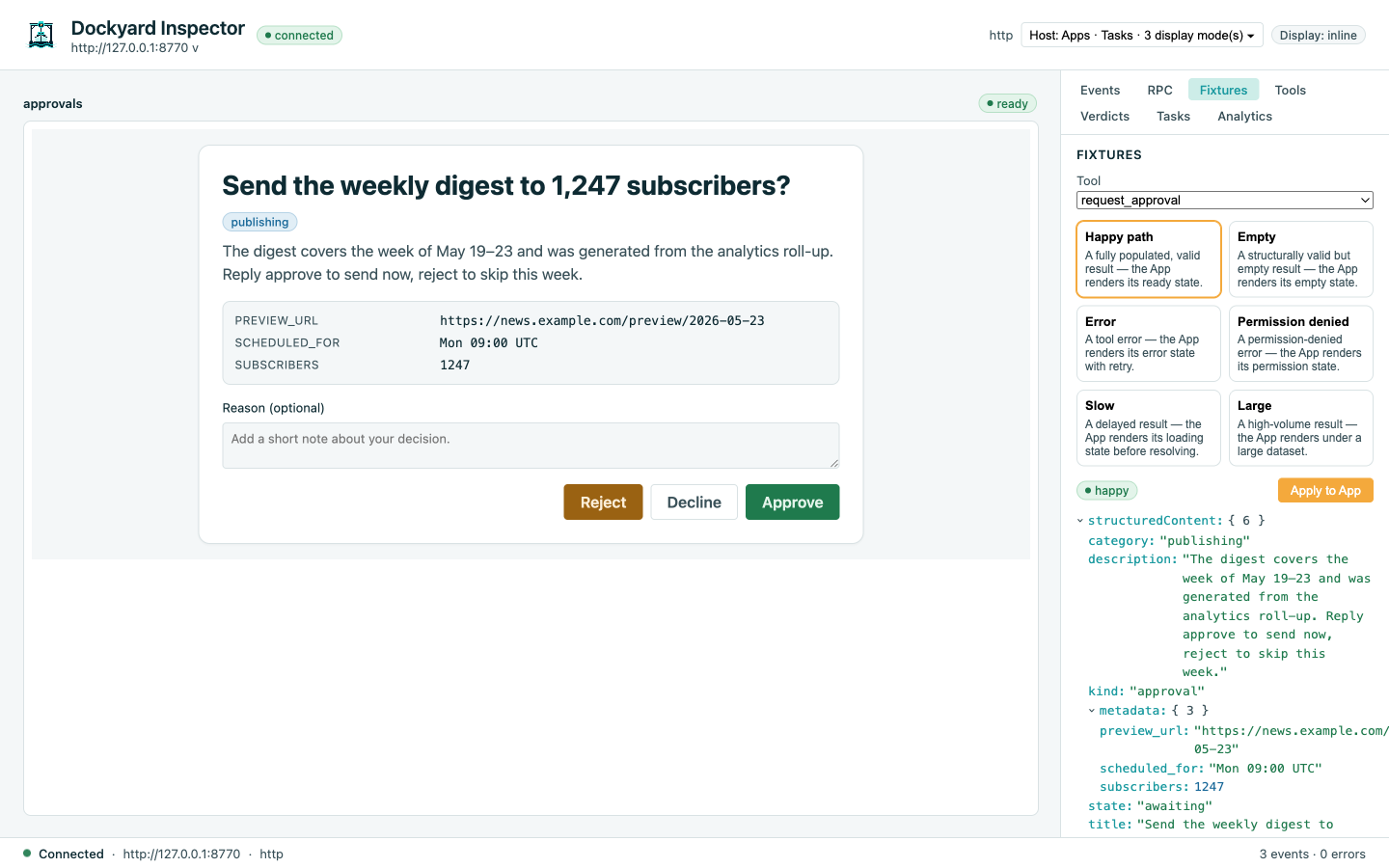
Fire request_approval from the Tools tab. The App renders an approval card; click Approve. The Tasks tab walks the lifecycle through the input_required round-trip:
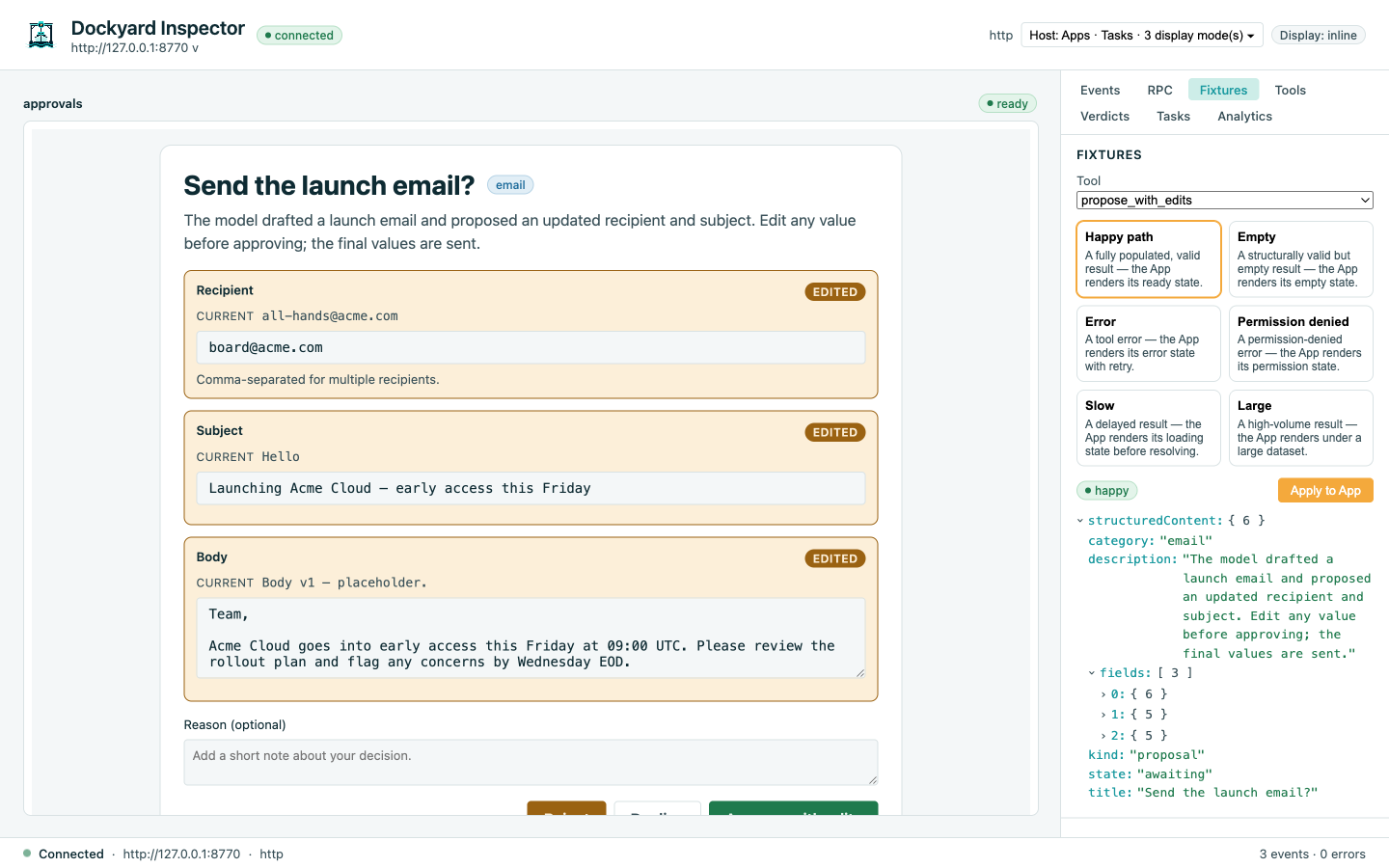
propose_with_edits renders a form whose proposed values are editable; approve with edits sends the user's values back through the bridge:
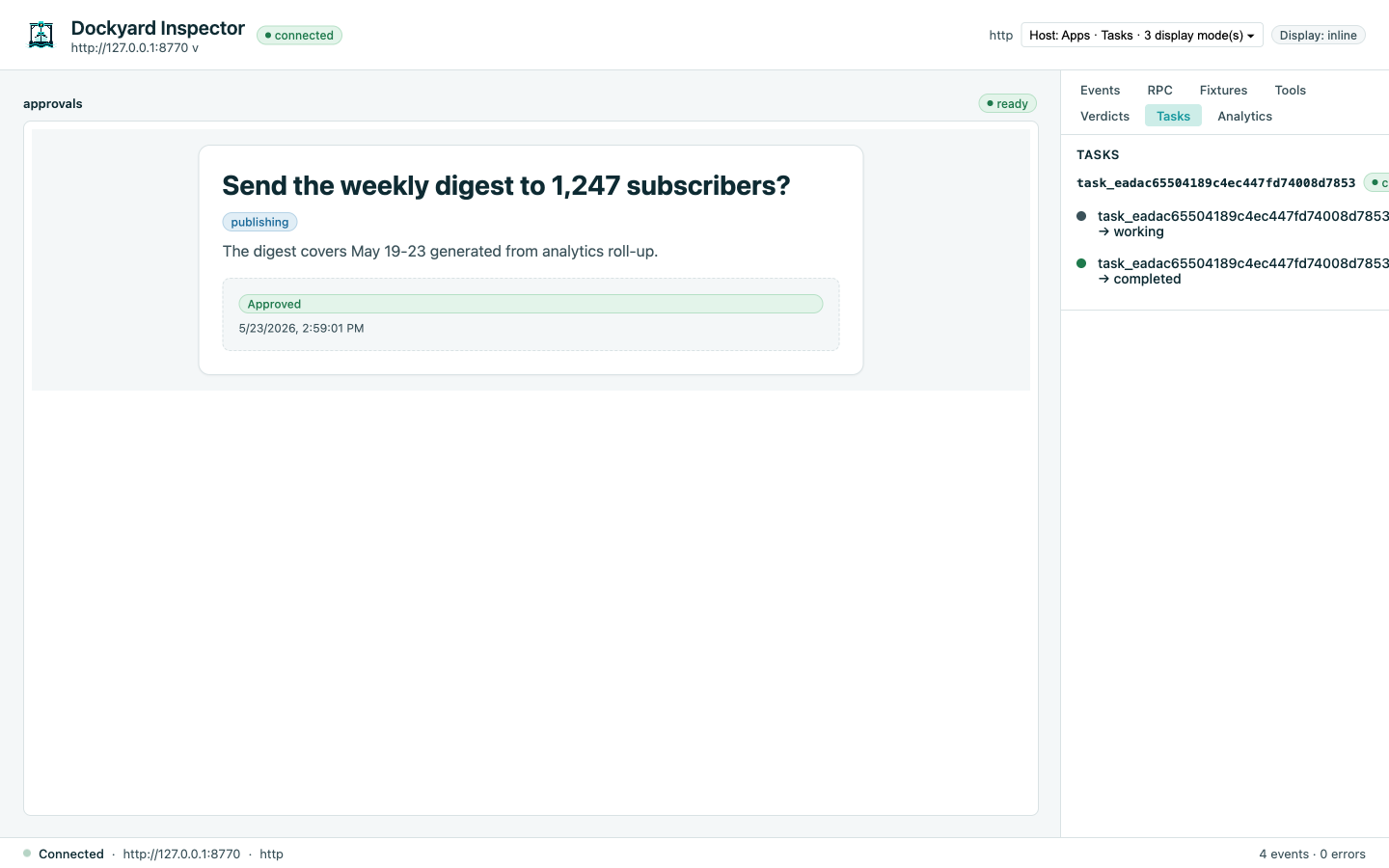
The Tasks panel renders each task's lifecycle as a Timeline:
How the round-trip works
- Host calls
tools/call request_approval→ server returns aCreateTaskResultbecause the tool is task-augmented. - Handler runs as a
TaskHandle; callshandle.RequestInput(...)→ task moves toinput_required. - App renders the approval card, reads the prompt from
hostContext. User clicks Approve. - App sends a
ui/elicitation-responsebridge notification (D-134) → inspector relays it to the server viatasks/result. - Handler's
RequestInputreturns with the user's payload; the handler completes the task with the final structured output.
The Tasks panel renders the whole sequence as a Timeline so you can correlate UI events with task state transitions.
Dockyard-host-only
The inline elicitation round-trip and live task progress are Dockyard extensions — they work against a Dockyard-aware host (the inspector, or Harbor as the MCP client), but a stock host (e.g. Claude Desktop) renders the App and ignores them. Design the App so its core value does not depend on the round-trip. See the Tasks×Apps note in the UI-resources guide.
Capability degradation
If the host hasn't negotiated the Tasks capability, the handler returns a synchronous "requires interactive host" stub instead of crashing (RFC §7.5, the capability-driven rule from AGENTS.md §6). Flip the capability toggle in the inspector to test the degradation path.
Adapt it
- Replace the synthetic approval logic with your real decision flow — the handlers'
TaskHandle.RequestInputAPI is the integration point. - Wire to a real auth context — the scaffold opts
RequestorIdentifiable=falseon stdio (single-user); on HTTP plug a bearer-token resolver intoWithTasks. - Add more fields to the edits form — extend the
ProposeWithEditsInput.Fieldsslice; the App'sFieldDiffcomponent composes the editable current → proposed pair fromweb/ui/.
What next
analytics-widgetswalkthrough — the read-side example.- Inspector guide — Tasks panel deep dive.
test-with-the-inspectoragent skill — how an AI coding agent drives the inspector while building.